As engineering organizations across major tech hubs—from the financial centers of New York and San Francisco to corporate headquarters in Texas, software corridors in Seattle (Washington), and engineering bases in California—move beyond basic single-prompt LLM wrappers, the industry has converged on a more powerful paradigm: Autonomous AI Agents.
Unlike standard chat applications that answer single-turn prompts, an AI agent can perceive its environment, invoke external tools, plan multi-step workflows, and evaluate its own output. When multiple specialized agents collaborate—such as a researcher agent passing data to a writer agent, which in turn passes artifacts to a reviewer agent—complex enterprise tasks like automated code refactoring, compliance auditing, and market research can be executed end-to-end without human intervention.
This comprehensive technical guide provides a step-by-step walkthrough for building a custom multi-agent system using Python and leading open-source orchestration frameworks.
1. Choosing the Right Open-Source Multi-Agent Framework
Before writing code, developers must choose an open-source framework that matches their architectural complexity and scalability requirements. The modern Python ecosystem features several standout options:
- LangGraph: The production standard for stateful, graph-based multi-agent orchestration. It models agents as directed graphs with explicit state persistence, cyclic execution loops, and first-class human-in-the-loop checkpoints. Ideal for production workloads that must survive process restarts.
- CrewAI: The most intuitive framework for role-based multi-agent collaboration. It mimics human corporate teams—assigning specific roles, goals, and tools to individual agents who sequentially or hierarchically execute shared tasks. It also features robust event-driven workflows called Flows.
- OpenAI Agents SDK / Microsoft Agent Framework: Lightweight, provider-agnostic SDKs built for fast prototyping, clean function calling, and native handoff mechanics.
In this tutorial, we will focus on building a robust, stateful multi-agent system using LangGraph, as it provides the explicit control and state management required for enterprise-grade automation.
2. Setting Up Your Python Development Environment
To ensure a clean installation isolated from global system dependencies, initialize a virtual environment and install the required open-source packages.
Step 1: Create and Activate Virtual Environment
Bash
python3 -m venv venv
source venv/bin/activate  # On Windows use: venv\Scripts\activate
Step 2: Install Core Python Packages
Bash
pip install langgraph langchain-openai langchain-core pydantic python-dotenv
Step 3: Configure Environment Variables
Create a .env file in your root project directory and store your API keys securely:
Code snippet
OPENAI_API_KEY="your-openai-api-key-here"
3. Architecture of a Multi-Agent System
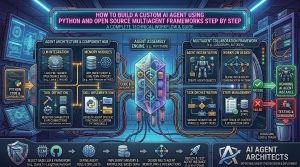
Our multi-agent application will model a simulated Enterprise Content Pipeline:
- The Researcher Agent: Queries the web or internal vector databases to gather raw technical facts on a given topic.
- The Writer Agent: Synthesizes the raw research notes into a well-structured technical draft.
- The Editor Agent: Critiques the draft, checks for compliance or structural flaws, and decides whether to approve the text or loop it back to the writer for revision.
[ User Input / Topic ]
         │
         ▼
┌──────────────────┐
│ Researcher Agent │ ──► (Gathers Raw Data)
└────────┬─────────┘
         │
         ▼
┌──────────────────┐
│   Writer Agent   │ ──► (Drafts Content)
└────────┬─────────┘
         │
         ▼
┌──────────────────┐
│   Editor Agent   │ ──► (Evaluates Quality / Loops back if needed)
└────────┬─────────┘
         │
         ▼
[ Final Approved Output ]
4. Step-by-Step Implementation Guide
Below is the complete, production-ready Python script implementing this stateful multi-agent architecture using LangGraph.
Step 1: Define the Shared State Schema
In stateful multi-agent graphs, all agents read from and write to a centralized state object. We define this using Python’s TypedDict.
Python
import operator
from typing import Annotated, List, TypedDict
from pydantic import BaseModel, Field

class AgentState(TypedDict):
    topic: str
    research_data: str
    draft: str
    critique: str
    iteration_count: int
    approved: bool
Step 2: Initialize the LLM and Define Agent Nodes
We will initialize a standard chat model (e.g., GPT-4o-mini or GPT-4o) and write node functions for our three agents.
Python
import os
from dotenv import load_dotenv
from langchain_openai import ChatOpenAI

load_dotenv()
llm = ChatOpenAI(model="gpt-4o-mini", temperature=0.2)

def researcher_node(state: AgentState):
    """Gathers facts and research on the given topic."""
    topic = state["topic"]
    prompt = f"Conduct comprehensive technical research on the following topic and provide key facts, metrics, and bullet points:\n\nTopic: {topic}"
    response = llm.invoke(prompt)
    print(f"\n--- [RESEARCHER AGENT] Completed research on: {topic} ---")
    return {"research_data": response.content}

def writer_node(state: AgentState):
    """Synthesizes research data into a polished technical draft."""
    research = state["research_data"]
    prompt = f"Using the following research notes, write a professional, well-structured technical summary article:\n\nResearch:\n{research}"
    response = llm.invoke(prompt)
    print(f"\n--- [WRITER AGENT] Draft generated ---")
    return {"draft": response.content}

def editor_node(state: AgentState):
    """Reviews draft for quality and decides if it needs revision."""
    draft = state["draft"]
    iteration = state.get("iteration_count", 0) + 1

    prompt = f"""Review the following draft for clarity, technical depth, and tone.
    If it is ready for publication, reply with STATUS: APPROVED.
    If it requires revision, reply with STATUS: REVISE and provide specific feedback.

    Draft:
    {draft}
    """
    response = llm.invoke(prompt)
    content = response.content

    approved = "STATUS: APPROVED" in content
    status_str = "Approved" if approved else "Needs Revision"
    print(f"\n--- [EDITOR AGENT] Evaluation (Iteration {iteration}): {status_str} ---")

    return {
        "critique": content,
        "iteration_count": iteration,
        "approved": approved
    }
Step 3: Configure Conditional Graph Routing
We configure routing logic so that if the editor rejects the draft and iteration limits are not reached, the workflow routes back to the writer agent.
Python
from langgraph.graph import StateGraph, END

def should_continue(state: AgentState):
    if state["approved"] or state["iteration_count"] >= 2:
        return "end"
    return "revise"

# Initialize State Graph
workflow = StateGraph(AgentState)

# Add Nodes
workflow.add_node("researcher", researcher_node)
workflow.add_node("writer", writer_node)
workflow.add_node("editor", editor_node)

# Set Entrypoint
workflow.set_entry_point("researcher")

# Add Sequential Edges
workflow.add_edge("researcher", "writer")
workflow.add_edge("writer", "editor")

# Add Conditional Loop Edges
workflow.add_conditional_edges(
    "editor",
    should_continue,
    {
        "revise": "writer",
        "end": END
    }
)

# Compile the graph into a runnable executable
app = workflow.compile()
Step 4: Execute the Multi-Agent Pipeline
Run the compiled workflow with a target topic.
Python
if __name__ == "__main__":
    initial_input = {
        "topic": "The architectural security benefits of private cloud RAG over public APIs",
        "research_data": "",
        "draft": "",
        "critique": "",
        "iteration_count": 0,
        "approved": False
    }

    print("Starting multi-agent execution pipeline...")
    final_state = app.invoke(initial_input)

    print("\n================ FINAL PUBLISHED OUTPUT ================")
    print(final_state["draft"])
5. Best Practices for Production Multi-Agent Systems
When transitioning your local prototype into a scalable enterprise production system, follow these core engineering guidelines:
- Implement Step & Token Limits: Always enforce maximum recursion limits and step budgets within your graph configuration to prevent rogue agents from entering infinite execution loops and consuming excessive token spend.
- Utilize Persistent Checkpointers: In production, agents interact with external APIs that can time out or fail. Use SQLite, PostgreSQL, or Redis checkpointers in LangGraph so your workflows can pause, recover, and resume seamlessly after a crash.
- Incorporate Human-in-the-Loop Gates: For actions involving high-risk database writes, financial transactions, or public publishing, insert interruption checkpoints that require manual human sign-off before proceeding.
- Deploy Rigorous Tracing: Integrate observability platforms (such as LangSmith or Langfuse) to trace every agent handoff, prompt invocation, and intermediate tool call, ensuring rapid debugging when multi-agent logic diverges.
6. Frequently Asked Questions (FAQ)
1. What is an AI agent framework, and why use one instead of raw Python code?
An AI agent framework provides built-in abstractions for memory, tool calling, state management, error handling, and multi-agent orchestration. Writing this infrastructure from scratch in raw Python requires building complex asynchronous event loops and state machines that open-source frameworks solve out of the box.
2. Why is LangGraph preferred over simple linear chains for multi-agent systems?
Real-world workflows are rarely linear. LangGraph models agent steps as directed graphs with cyclic edges and persistent state. This allows agents to loop back, revise previous outputs, handle conditional branches, and recover from failures mid-run.
3. How do individual agents communicate within a multi-agent framework?
Agents communicate by reading from and writing to a shared state dictionary or message history queue. One agent produces data (e.g., research notes) and stores it in the state object, allowing downstream agents to access and transform that data during their turn.
4. Can I integrate my own custom proprietary tools into these frameworks?
Yes. Frameworks like LangGraph, CrewAI, and OpenAI Agents SDK allow you to wrap any custom Python function as an executable tool (using decorators like @tool) so agents can query internal SQL databases, call APIs, or execute code securely.
5. How do I prevent agents from getting stuck in infinite loops?
You can prevent infinite loops by tracking an iteration counter inside your state schema, setting strict conditional routing boundaries, and imposing global recursion limits on graph execution runtimes.
6. Do I need expensive GPU hardware to run multi-agent Python workflows?
No. Because agent orchestration frameworks manage logic, state, and API routing, the heavy LLM inference can be offloaded to cloud model providers (via OpenAI, Anthropic, or AWS Bedrock) or run locally using open-source models hosted via Ollama and vLLM.
7. How do I debug errors when a multi-agent system fails mid-workflow?
Debugging is best handled by pairing your framework with dedicated agent observability platforms (such as LangSmith or Langfuse). These tools record step-by-step traces, letting you inspect exactly what prompt an agent received and why it chose a specific tool or path.
8. What is the difference between CrewAI and LangGraph?
CrewAI uses a role-based persona model optimized for rapid prototyping of collaborative human-like teams. LangGraph provides low-level graph primitives offering fine-grained, stateful control over complex loops, persistence checkpoints, and enterprise production flows.
9. How can I add human approval steps into a Python agent workflow?
Modern orchestration frameworks support human-in-the-loop interrupts. You can configure a graph node to pause execution, surface intermediate agent outputs to a human reviewer for validation, and resume execution upon receiving manual sign-off.
10. Are open-source agent frameworks safe for enterprise deployment?
Yes. Popular open-source frameworks licensed under MIT or Apache 2.0 form the backbone of modern enterprise AI engineering. When deployed inside private Virtual Private Clouds (VPCs) with strict data governance, they ensure complete compliance and data sovereignty.
Conclusion
Building custom AI agents using Python and open-source multi-agent frameworks unlocks a new frontier of automated productivity. By leveraging stateful graph orchestration engines like LangGraph, engineering teams can transition from rigid, single-turn prompts to autonomous, self-correcting multi-agent ecosystems. Implementing structured state schemas, rigorous error loops, and comprehensive observability guarantees your automated workflows scale securely and reliably across enterprise production environments.